Last Monday I had the privilege of virtually joining Joe Antonioli’s ‘Innovation in Action: Design Thinking and Problem-Solving’ class at the Middlebury Vermont campus. His students have spent the semester designing innovative solutions to some of Middlebury’s academic technology … Read the rest
https://middcreate.net/wp-content/uploads/2016/12/6g0kjwnbhxg-luis-llerena-624x416.jpg416624Clarissa Stewarthttps://middcreate.net/wp-content/uploads/2016/09/middcreate-logo-sized-for-website.pngClarissa Stewart2016-12-16 22:01:532018-02-26 18:28:03Developing Digital Literacy Through MiddCreate
Working on a project but not sure what software would work best to realize your vision? Creating an assignment and want to direct your students to appropriate apps they can use to complete it?
I’ve written previously about Nathan Gerth and the work he is doing at the Carl Albert Center, which houses a congressional archive. Nathan continues to really push me on thinking about how institutions can utilize web infrastructure. His OU Create projects like CAC Rockets and PIPC Votes are some of the best non-traditional (read: non-Wordpress) ways I’ve seen the platform used. PIPC Votes is a site that scrapes House of Representatives voting record sites and makes the data freely available:
This newest version now scrapes information from the Clerk of the House nightly and codes the “vote type” (e.g. amendment, final passage, moving the previous question) variable using a python script rather than relying on the judgment of individual coders
And his passion for digital curation is infectious. Lately, I’ve been thinking more about domains as an opportunity to not just be an artifact of learning in the way a digital badge tells you learning “happened.” I see so much benefit of thinking beyond their use as a portfolio of final work. Rather, I’ve been thinking about them as a continuously evolving artifact of the learning process. And it’s through this process of media making that students build toward a digital identity. Domains are not static, literally (mostly) or figuratively, thus they can manifest themselves very differently across a student’s tenure. I witness students change navigation, look and feel, writing style, etc. based off of how and where it’s being applied. A student might use it for a class in a very specific way, dip out of that voice for personal use, and then maybe dip into an entirely new voice for another class. It might evolve into separate spaces or applications that serve different needs. Some of my favorite work of my personal students leave the web as they leave the institution. Sometimes to be replaced by a more stripped down landing page or just permanently removed. However it may happen, these moments and the spaces in between can be like little snapshots taken at a moment in time.
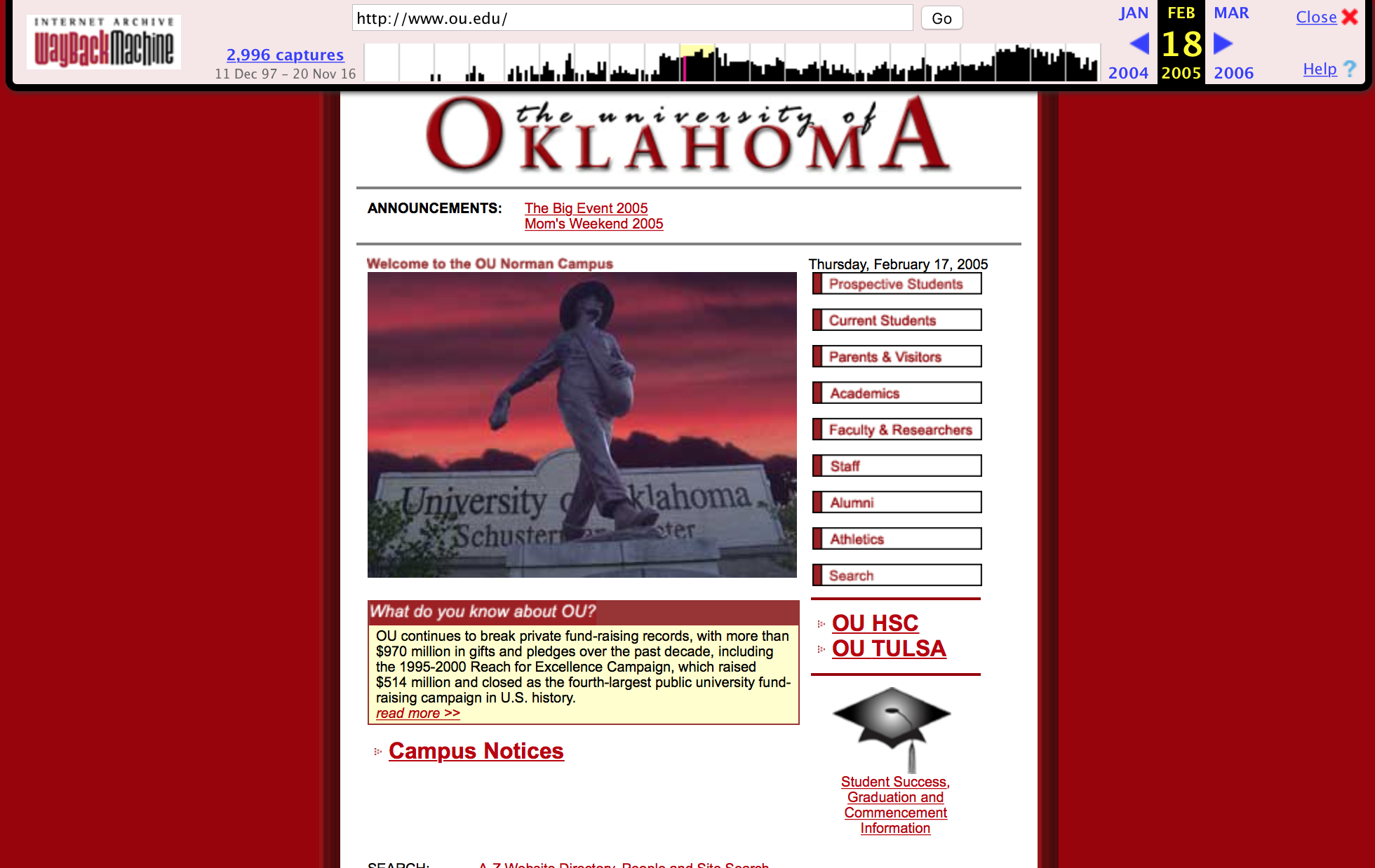
So this has me thinking about how we can begin to capture these evolutions that take place. My first thought is Wayback Machine, the world’s gift to web nostaglia, which allows you to time travel through a domain and many people are already familiar with:
2005 version of ou.edu
I wrote in September about meeting with Middlebury’s Special Collections folks and hearing about how they are using archive.org’s service Archive-It to archive student work. This led to me having a discussion with our David Corbly, Director of Repository Services, of OU Libraries who runs OU’s own Archive-It solution. It seems to me that this is a good start but potentially unable to fulfill the large need of archiving as many sites as we have on OU Create (Archive-It is rather expensive for what it offers).
So I came back to Nathan to think through exploring other options and he came up with an idea that is very, very captivating. He is teaching a Digital Curation course in the Spring in our School of Library and Information Studies and is planning on having the students in the course prototype multiple techniques for doing this work both on the front-end side (scraping like Archive-It) as well as some back-end work with non-OU Create data.
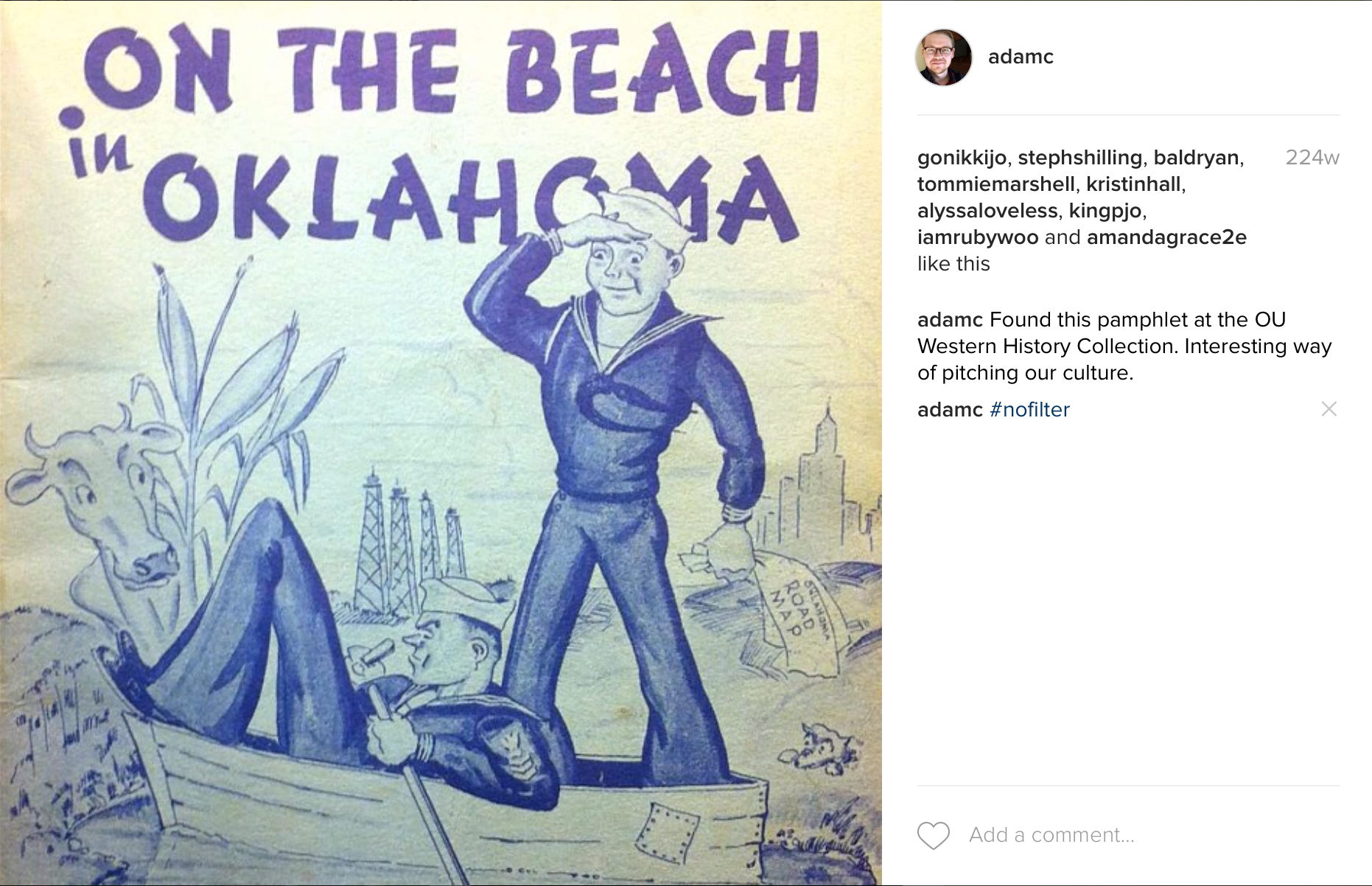
Another great idea Nathan had was to have the students also propose strategies that OU could take in better preserving university web. It reminded me of a story when I was doing marketing work on the OU Research Campus and part of it was exploring the history of the campus. It was a naval base for a few years during WWII and was trasnferred back to the university afterwards.
Move to Oklahoma propaganda
What was fascinating to me was that I could read through boxes of meeting notes and historical records of the campus. The story of the campus had been preserved quite well. Nathan mentioned how much of that type of information such as university processes and forms are getting transferred to the digital space. Universities sometimes have university archivists, but we unfortunately don’t have a dedicated office (though the bulk of it is done quite well through goodfolks in our Western History Collection) . So building the foundation of a digital archiving strategy could be very productive of the institution by making these historical records more accessible. Part of that strategy would likely include recommendations towards some more complex questions about archiving such as what is inevitably publicly accessible. I am also fully aware that this can’t be a project that I, nor any one person, could conceivably support long term, so the idea of proposing some broader recommendation is very appealing.
But I look at how we are thinking about using the classroom as a space for testing potential endeavors and I can’t think of many better learning environments. Students are learning through the process of attempting to capture learning. It really is a beautiful thing. This is what gets me up every day. Its the reason teams like ours exist.
I hope I’m doing justice to Nathan’s vision. The archiving space and its complexities are spaces I’m just beginning to understand (and probably poorly… apologies to all digital archivists if this post reads a dumbdowning of your work! Give the new guy a break! ). I’m just grateful to find someone who is equally interested in preserving the bits and bytes of the web. Neither of us are making promises that any of this will work but I can vouche that I’m personally eager to explore.
https://middcreate.net/wp-content/uploads/2016/12/4060b8dfad18c537ba33970a0616ee21.jpg10001000Adamhttps://middcreate.net/wp-content/uploads/2016/09/middcreate-logo-sized-for-website.pngAdam2016-11-22 22:49:572018-02-26 18:28:03Archiving the Open Web Learning Process
On October 21, 2016, Audrey Watters gave a talk on the Monterey, CA campus, entitled, “Attending to the Digital / Reclaiming the Web,” as part of the launch of MiddCreate. View the entire recorded presentation below.
https://middcreate.net/wp-content/uploads/2016/11/audrey-watters-presentation.jpg458750middadminhttps://middcreate.net/wp-content/uploads/2016/09/middcreate-logo-sized-for-website.pngmiddadmin2016-11-12 01:00:002018-02-26 18:28:03Attending to the Digital / Reclaiming the Web by Audrey Watters
A handful of blog posts have came out recently on Muhlenberg’s Domain of One’s Own project bergbuilds including a posts from Lora Taub (post) and Tim Clarke (post) at Muhlenberg and Lauren Brumfield (post) at Reclaim Hosting.
Lora’s post encouraged folks to get involved in this years OLC Solution Design Summit, which is actually where I first met Lora. I wrote this in April:
If they pull off their idea (I’m hoping someone from their team will write a post), it will be one of the more innovative approaches I’ve seen in holistically engaging a community in domains and digital literacy.
I continue to stand by that statement. Muhlenberg is utilizing their domains as a central space for students to think broadly about digital learning and digital scholarship as a student’s pre-orientation experience. From what I remember, students even move in to their dorm room early to partake in the week-long session
As someone who’s graduate experience was deeply impacted by a similar experience and as someone at a university that’s about to launch two residential colleges, I’m thinking more and more about how these types of experiences. Too often, digital is positioned as in conflict with the residential experience. I don’t want to hear another person lament about students learning at home in their pajamas, as if that’s vitriolic. I don’t want to hear another false argument about digital natives. I would rather see us explore, together, head-on the opportunities and challenge that digital space brings. If anything, let’s embrace the way that the two worlds have deeply merged.
I do believe that a good place to start building respect with the students by offering and supporting them with their own space. What better way to fully actualize the digital verison Virigina Woolf’s A Room of One’s Own then a Muhlenberg-type of project? From Lora:
In fact, our tagline for this entire pre-orientation experience was, “A Dorm & A Domain” — emphasizing that a Muhlenberg experience is as much about staking out an online presence as it is setting up a dorm room or learning your way around campus.
Both Lora and Tim both touched on the ways which they’ve felt supported by the broader domains community as they’ve launched this project. Tim had these nice things to say:
To inform these efforts, we reached out for assistance to Adam Croom who kindly shared his afternoon with us fielding far ranging questions. It’s difficult to quantify Adam’s helpfulness, but it’s essetial to try. At the close of our online meeting, Adam encouraged us to continue to reach out, even offering to provide a clone of Create OU Support for us to customize. Adam’s efforts to work openly and to share everything from support documentation to learning community reading lists and curriculums will save us at Muhlenberg weeks, perhaps months, of effort. But more important, Adam’s, and Martha’s, and Tim’s, and Jim’s, and Lauren’s engagement with us will make our efforts better.
I have to say I really like this idea of working together. I’m always the first to say that what we are doing is, if anything, the opposite of innovative. One of the best things about the community is how much everybody wants to see the other person succeed. Create is only what it is because UMW is what it is and Emory, Davidson, BYU, VCU, Middlebury, CSU Channel Islands, Georgetown and many others are what they are. And the different ways in which institutions have reimagined it for their specific community is really, really gratifying to watch. It’s like, oh I don’t know, the web; small pieces loosely joined.
Some day I’ll probably stop gushing about domains and the web. But, until then, I’ll take my people over anybodys!
https://middcreate.net/wp-content/uploads/2016/12/bergistheword.jpg492500Adamhttps://middcreate.net/wp-content/uploads/2016/09/middcreate-logo-sized-for-website.pngAdam2016-10-26 15:42:452018-02-26 18:28:03Muhlenberg is the Word
Last year, we launched a blog titled thisweekon.oucreate.com and a similar Twitter account @OU_Create to highlight some of our favorite OU Create content, mostly blogs from OU students and faculty, thanks to the good work of Anoopdeep Bal. I’m not sure I even know the full details, but the best answer is that we focused our highlighting attention on the Creaties and moved the This Week blog to the backburner. Then in July we had some staff turnover that caused us to hault the account altogether. BUT we are back on the horse!
The way that we do this is fairly simple. Every newly installed application gets plugged into our Community syndicator which runs on FeedWordPress. Though not every site has an RSS feed, we are currently syndicating 3,310 sites. We get these URLs by pulling them directly out of the Installatron database file and bulk subscribing to the newest posts. Then we read them (I use Reeder to do so), share our favorites in a Slack channel, and then John Stewart writes up a weekly roundup. Anddd that’s about it.
My thought is that the only way to know your community is to be of it and in it. We are proud to publicly offer a way to see the public work that exists within it as well. I’ve always liked to the think of OU Create as the best representation of a digital common area for the community and it’s fun tosee how people are still thinking up new ways to use the space.
For instance, Darren Purcell (who is has one of the most richest faculty OU Create spaces if I do say so myself) is using it in a freshman-level Geography class to teach students about mapping and GIS tool. I just saw a post today where Lexi McLane had used ArcGIS Online, a cloud-based mapping platform, to show high school graduation rates at a macro and micro level. It shows national, state, and regional (in fact her own hometown).
Not only is it personally contextualized but she was able to start to understand the influence how race and economics affect graduation rates:
Through the maps in my story map I compare areas with lower rates to areas with lower incomes and see a clear trend. Also groups with higher averages such as white and asian groups, are typically associated with higher income groups. The maps in my story map also show higher incomes around counties with high graduation rates.
I was surprised to find that the school I graduated from had such a high graduation rate when drop outs seemed so normal throughout high school. Also my high school was primarily hispanic and economically disadvantaged, meaning it should have some of the lowest graduation rates based on the national statistics. However, in 2014 Olustee Public High School had a 95 % graduation rate, putting my high school above the national average. – Lexi McLane
Another project I saw pop up this semester is the OU Integration Business Core program. IBC is a set of four courses students take in which throughout the courses they do market research and launch a product. The profit generated is then donated to a local company. All of the companies have a WordPress landing page (they use an OU purchasing tool for actual orders) and two of the companies are using OU Create:
I’ve said this time and time again, but I love the flexibility of the web to serve such vastly different needs. Both of these projects fall widely out of the scope of a traditional eportfolio, our original idea for OU Create, but show the creative ways for which the technology can be exploited by the users. Oh, and support these IBC projects if you know what’s good for you!
https://middcreate.net/wp-content/uploads/2016/10/Screen-Shot-2016-10-20-at-12.27.59-PM.png21502932Adamhttps://middcreate.net/wp-content/uploads/2016/09/middcreate-logo-sized-for-website.pngAdam2016-10-24 14:35:342018-02-26 18:28:03This Week On OU Create is back.
On September 26, 2016, Adam Croom gave a talk on the Middlebury, VT campus, entitled, “Openness Without Penalty,” as part of the launch of MiddCreate. View the entire recorded presentation below.
https://middcreate.net/wp-content/uploads/2016/10/adam-croom-talk.jpg267471middadminhttps://middcreate.net/wp-content/uploads/2016/09/middcreate-logo-sized-for-website.pngmiddadmin2016-10-12 17:12:142018-02-26 18:28:03Openness Without Penalty by Adam Croom
Interested in creating a course site or assignment using MiddCreate? Not sure which application fits your needs? Look no further! This guide will provide resources to help you think through how a domain can best serve you and your students.
A “Domain of One’s Own” asks us to consider the infrastructure. It asks us to understand the Web and our place on it. It asks to us to pay attention to the content we create — as teachers and as students — and to weigh where it best resides — who has access to it, and for how long.
Technology is all about removing limitations and building connections. The MiddCreate application you select for your course site or project should connect your students with new, useful content and experiences. Having specific goals is the key to maximizing a digital tool’s value. Determine how the tool will figure into your existing tool inventory and pedagogy. Do you intend it to replace something or is it just an addition? Thinking about these questions will help inform your course objectives, determine how to proceed with initial set up and how much time the configuration will take.
Design Your Project
It’s a good idea to focus on what the technology can do uniquely well (such as enabling multiple modes of participation) when thinking about how it will integrate with your course. MiddCreate applications like WordPress, Known, Dokuwiki, and Omeka can be used to help your students collaborate and build a sense of community among the class. There are many models by which you can achieve this. For example, by establishing a communal space where everyone can create content, or by syndicating content students create individually to a community space.
You might also consider the site’s intended users and audience: who will be utilizing the site and how will they interact with it? Will this change over time? An example of this would be having students collaborate to draft information into a wiki resource site, then opening it up for public contributions once the initial entries are completed. In order to make this run smoothly, an instructor would need to understand not only how to create and edit pages within the wiki application, but also have a plan for how to configure changes in privacy and multiple user access settings at each stage of the project.
Every application has unique aspects that will require careful thought and intentional planning to ensure that your project fulfills its purpose and provides a rewarding, enjoyable learning experience for everyone involved.
Identify Appropriate Challenges
Before you decide which MiddCreate tool to use, properly consider its drawbacks. These could include limitations that arise due to its features, or the extra time and effort needed to create, maintain, and grade, digital assignments. You and your students are busy, so you’ll want to consider how long it will take to get your site ready. Will the application require extensive configuration to make it do what you want it to, or will it be usable soon after installation? Consider this carefully when planning your course, learning objectives, and the timing of assignments you expect students to complete.
You should also take into account how comfortable you and your students are with technology. Think about the tools they have used previously and how those compare to your potential selection. Even if students lack experience with this kind of digital tool, it could still be a valuable learning opportunity, but be aware that using it may require planning in extra time to accommodate the learning curve.
No doubt you want to give students the freedom to explore their own ideas and interests. However, leaving things too open can be intimidating and cause students to feel lost. The best way to increase students’ comfort level with new, experimental methods of learning is by including clear structure. Provide detailed requirements and frameworks for those who need them, but encourage students to take off in their own direction when appropriate. Remember that digital tools can give students the chance to take risks with the material they are learning, providing instructors insight into their students’ unexpected capabilities.
Plan for the Future
After students complete assignments, it might be nice to ask if you can feature the best work for all to admire. It’s also a good idea to archive the semester’s best examples for future classes. When students are struggling to find inspiration or understand what the project should look like, it often helps to give them look at some of the best work from previous semesters.
Another thing to consider is whether you’ll be using the same course site again in future semesters, or would like to archive and duplicate it each time. Think about how much of your content you can create as separate assets that can be easily migrated if and when you decide to move on.
Evaluate the App
Think you’ve found the right digital tool for your site? Go though the questions in this handy, comprehensive guide to choosing digital tools for course sites. This resource offers queries to develop and improve the digital pedagogy of your classes, focusing on the unique complexities and responsibilities that incorporating MiddCreate’s web tools into a curriculum may present.
Yesterday I finished up the last installment of a six-week workshop series focused on assisting graduate students with understanding digital identity and the open web. I co-taught this with John Stewart who did much of the heavy lifting filling me for me a couple times when I wasn’t able to be available. This was also our first time to partner with the Clay Wesley in Graduate Student Life who was kind enough to organize, manage, and offer food for the event itself. I’ve spoken twice at their annual career development week and was humbled that the presentations were rated high enough to pique the college’s interest on expanding it into a more concerted effort.
The truth is a digital identity is not a tool or a website, and it can’t be fully actualized in a mere six weeks, but through the process of a building a website it can get folks started on a path and give them enough of knowledge to be armed with how to take ownership of their digital identity by giving them an environment where they are forced to put pen to paper. This fact was driven home quite well by Michael Thompson, who is our Director of Broader Impacts in the Office of the Vice President for Research, who, among other things, leads our faculty in workshops to help assist them in building and verbalizing their faculty identity. One of the comments he brought up multiple times was how identity is changing and fluid, which is so true. The more time I spend in this project, the more I see identity building as the opposite of a streamlined tech tool built to help you answer a pre-determined set of questions much like many social media profiles and e-portfolio solutions. The complexity of people demands flexibility and ownership.
The last week of the workshop was focused on digital scholarship. Digital scholarship is such a broad term and I wanted to pull examples of various ways of interpreting the notion of DS including how one’s own digital space(s) can reflect research, digital scholarship tools, digital and open-access journals, research group sites, and fully-fledged online research projects. It’s certainly nowhere near exhaustive but these are references I point to often. Below a brief summary of the sites we went over:
Laura Gogia – An example of a phenomenal recent PhD graduate site. Good example of leveraging a multitude of spaces for various identities and projects. Lauragogia.com is a landing page aggregation of work. Messy Thinking is her “thinking out loud” blog. Deconstructed Dissertation is her main research website.
TAGS – Twitter archive to Google Sheet tool built developed and maintained by Martin Hawksey.
Hypothes.is – An annotation tool that can act as a layer on top of any public website. See this Guardian article for how an example of how Climate Feedback is utilize the tool as a way to be “a scientific reference to reliable information on climate change” within popular media.
Tableau – a visualization tool with a free offering for students. See Austin’s Teacher Turnover for an example of various ways structured data can be visualized for storytelling.
Jove – calls itself the “the world’s first and only peer reviewed scientific video journal.” An example of a digital version of traditional researcher as referenced in Martin Weller’s article.
Digital Pedagogy in the Humanities: Concepts, Models, and Experiments – “an open-access, curated collection of downloadable, reusable, and remixable pedagogical resources for humanities scholars interested in the intersections of digital technologies with teaching and learning.” Hosted and openly edited on Github.
Inhabiting the Anthropocene – a group blog written by an interdisciplinary group of University of Oklahoma scholars interested in how humans have and continue to transform the Earth.
Community Informatics – an example of a research website. This research site began on OU Create and has since migrated off OU Create due to the faculty member now be located in Boston at Simmons College. This site is made up of a WordPress information page as well as an evolving wiki hosted that uses the application DokuWiki.
Situating Chemistry – a collaborative research database and map that investigates the sites where chemistry was practiced between 1760-1840 led by University of Oklahoma staff member and historian John Stewart. This project is built on the Drupal platform.
New Deal – an undergraduate research project at the University of Oklahoma utilizing the Omeka platform. For more information, see a more detailed blog post I previously wrote.
Digital Humanities Toolbox – A very well organized and much more exhaustive list of tools that one can use for projects including mapping, text analysis, audio, annotation, and research tools. Very applicable to non-humanities fields.
https://middcreate.net/wp-content/uploads/2016/10/5084898288_4bb1b68518_o.jpg15242039Adamhttps://middcreate.net/wp-content/uploads/2016/09/middcreate-logo-sized-for-website.pngAdam2016-10-05 14:55:232018-02-26 18:28:03Talking Digital Identity and Scholarship with Graduate Students
Note: On Monday, September 26, 2016, I gave a talk at Middlebury College. Below is the working transcript I wrote for the talk, though I did not actually read it. The talk can be viewed online.
Today I’m going to focus on my journey as both a college instructor as well as administrator over a project we have at the University of Oklahoma where give students, faculty, and staff a modern space to build on the open web and what it’s done for my courses as well as my community.
But before I get there I want to pose and explore some broader questions. How do we choose the technologies we choose for our courses? Why do we choose the technologies we choose? What do these choices say about who we are and what we believe? How can we learn more about who we are through these choices?
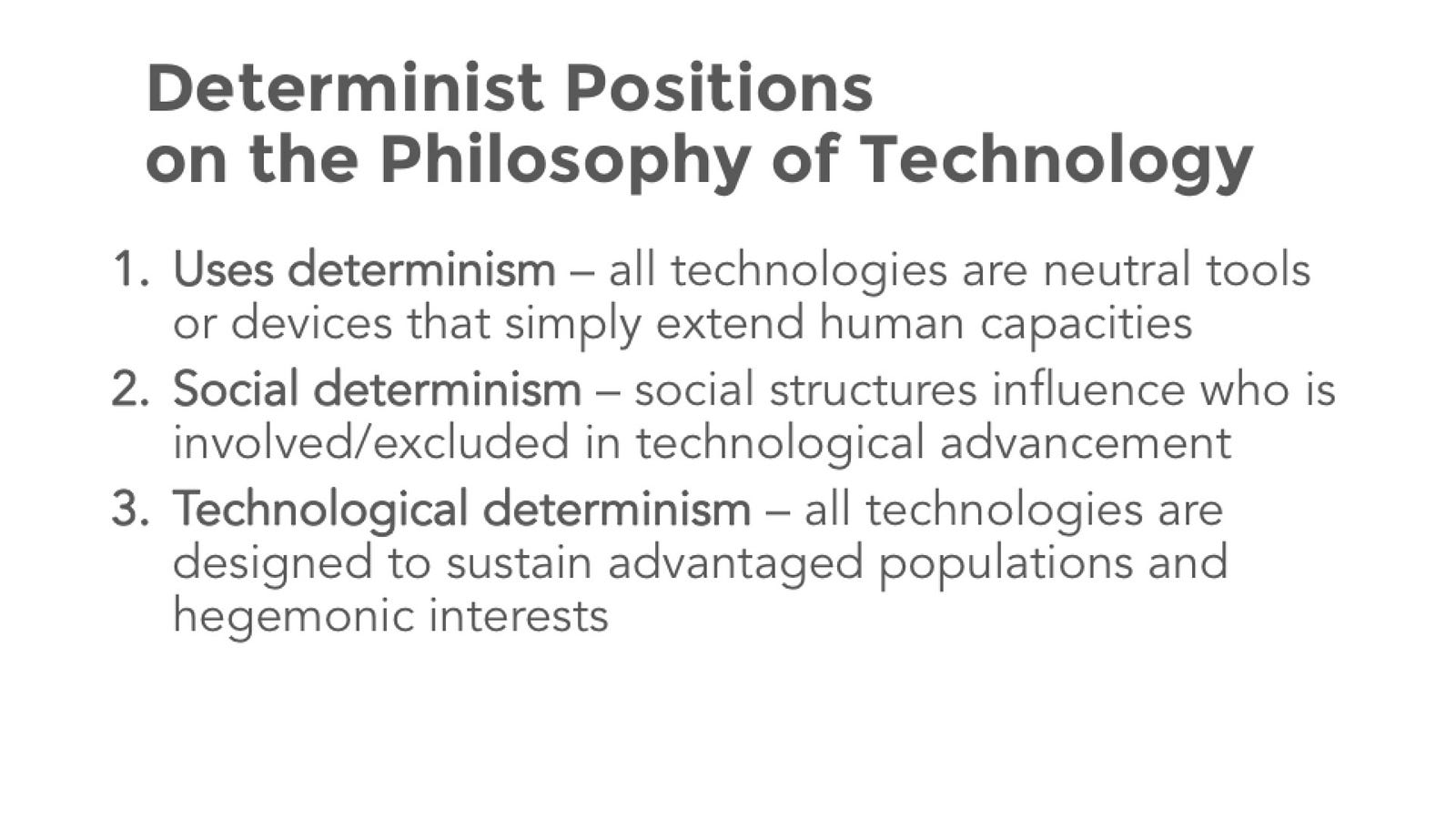
You see, I believe that to discuss education technology you need to first contextualize these situations, as not all technologies are suited for every situation. In fact, I would go further and say that not every technology is congruent with every teaching philosophy. As an instructor I’m not a neutral entity; I teach my subjects the way I want to teach them. Similarly, technologies are not neutral as they, too, have biases that have been implicitly or explicitly built into them and their uses.
I’d like to unpack these ideas of teaching philosophies and the neutrality of technology a bit, but first, I’d like to take the moment to out myself. Purely by discipline, I’m far from a humanist. I teach Advertising and Public Relations courses in Gaylord College of Journalism and Mass Communications; our area is called Strategic Communications. Ad and PR, while certainly can be studied, is much more a profession than it is a discipline. We pull from business, marketing, communications, human relations, art, visual communications and we package and sell these disciplines in such a way that it’s really complicated to understand your return on your investment, much to our benefit. Yes, we are in the journalism school, but, as my newspaper writin’ college roommate would tell me as often as he could, “You ad guys are not journalists.”
So, here I am, saying something similar, “Us ad guys are not humanists.” When I was in grad school (my graduate work is in Learning Technologies) I did what a good grad student does in that wrote a personal mission statement and a teaching philosophy which has been stuck on my syllabus for the past four years that I’ve been teaching, and it wasn’t until very recently, as I reflected on how I taught, that, by golly, there might be an outside chance that my teaching style is actually very humanist.
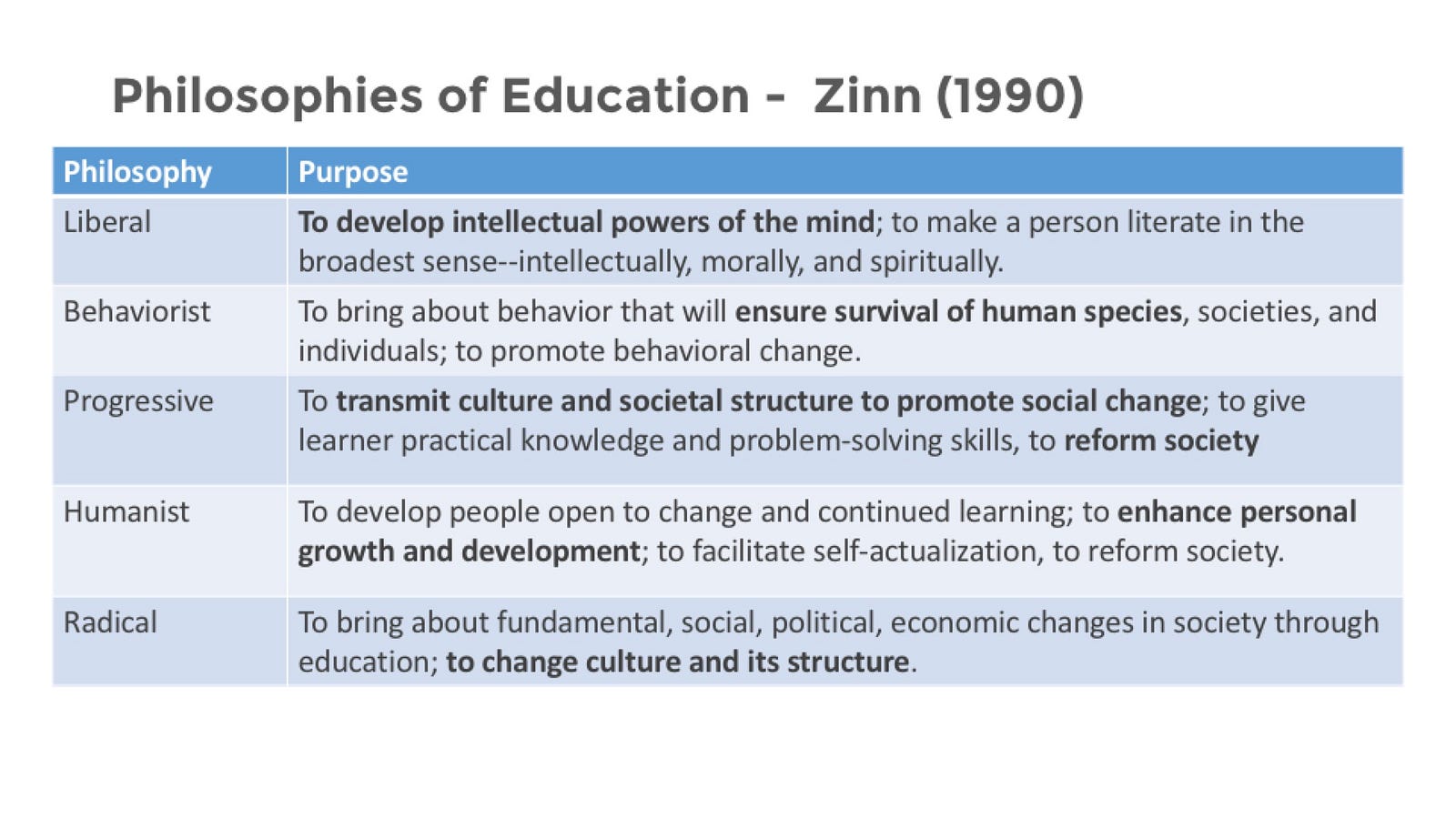
Now, if you are curious as to where you might fit in, here is a list of teaching philosophies as described by Elias and Merriam (1980) and later adapted by Zinn (1990).
Zinn used this framework to ask questions about how decisions in the classroom are made. Zinn says that when one engages in the practice of education, certain beliefs about life are applied to the practice, and these constitute as a philosophy in education.
Personally, I have reverence for all of these philosophies, but I fall squarely into the category described here as a humanist. I structure my course around not just mastering content but enhancing personal growth and development.
Further, most research around the Internet has focused on one of these three areas: uses (or the artifact generated via technology), technological (with a focus on the technology itself), and social (the outcomes of the technology) (Dahlberg 2004).
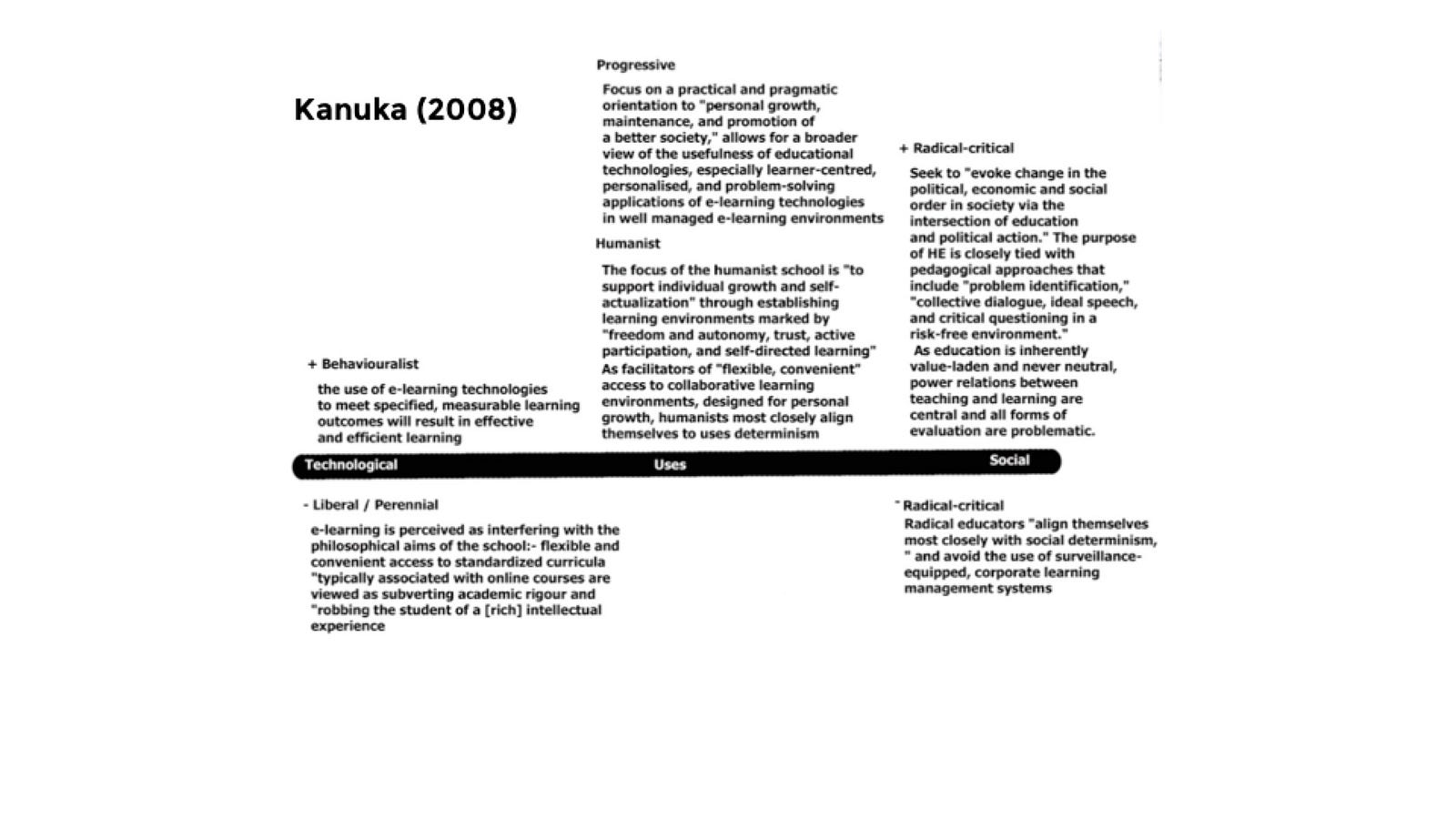
What’s interesting is that you can begin to lay these philosophies — teaching and technology — over one another, as was done by Heather Kanuka (2008).
Technologies can, under certain circumstances… provide flexibility, convenience, and meet individual student needs… Specifically, uses of technology can play a critical role in providing flexible and open access to the growing needs of individual students… For humanists, learning is view as a highly personal endeavor, and, as such, self-concept, self-perception, intrinsic motivation, self-evaluation, and discovery are important to learning and thinking skills.
— Heather Kanuka
So I want to look look closer at this idea of how one can attempt to leverage technology to facilitate this idea of self-actualization, or at least how I’ve tried to attack it myself. As I mentioned I teach ad and public relations, and I specifically teach design-oriented courses. My students are, for the most part, not designers. In fact, I would say they are quite anxious about this course either because they don’t consider themselves creative, or they consider themselves computer illiterate, or maybe it’s just because they aren’t familiar with an assessment methodology beyond quizzes, test, and essays. So needless to say they are out of their comfort zone. And so I’ve adopted an overarching goal for my course which is that I want every student to be able to see that they are, indeed a creative human being. I’m really passionate about creativity. And I believe this strategy can easily be applied to other disciplines. You are passionate about chemistry, and you want your students to see that chemistry is approachable, or math is approachable, or writing is approachable.
In 2013, I watched a presentation by Jim Groom about a project that was taking place at the University of Mary Washington called a Domain’s of One Own in which they they were affording all students at the institution a domain to build out a digital identity and use the space to reflect on their learning experience. This use case, and particularly the philosophy behind giving students a space of their own (inspired by the famous essay A Room of One’s Own by Virginia Woolf) really resonated with me and what I was attempting to do with my students. Jim had similar goals for his students in a Digital Storytelling course (DS106 #4life), and it felt good to come across a technology that really resonated with my teaching philosophy.
As I spent the last summer redesigning a course that I was to teach this fall, I looked at several of them to better understand creativity. What are the building blocks of the creative process? How can I build a classroom environment that is conducive to creativity? There are lots of theories out there about creativity itself (pro tip: if you want a have a book on NY Times Best Sellers list, write one). But one interesting idea that has come up several times throughout writing on creativity is is the notion that the creative art process is specifically related to the process of self-actualization. And you can break this process down into a four-part process (Rogers 1961, Linderman and Herberholz 1977, Ross 1980, Rider 1987).
I want to walk through this process and showing how I’ve built this into my courses.
Awareness
This first phase of self-actualization through creativity is awareness and it involves being open to new thoughts and experiences. In my class, this is the domain itself. Each student has a domain in which much of the work will take place, outside of the walls of the password-protected learning management system. Having a public, academic identity is foreign territory for the majority of my students. And as an instructor I have to, first, acknowledge this, and, second, tread lightly here. I want to encourage students to take ownership of their space, to personalize their space, to allow their space to reflect who they are. In many ways, this is an analogy for what I’m hoping for with the course. I want them to take ownership of their own creativity and becomes agents of their learning. Own your self; own your work.
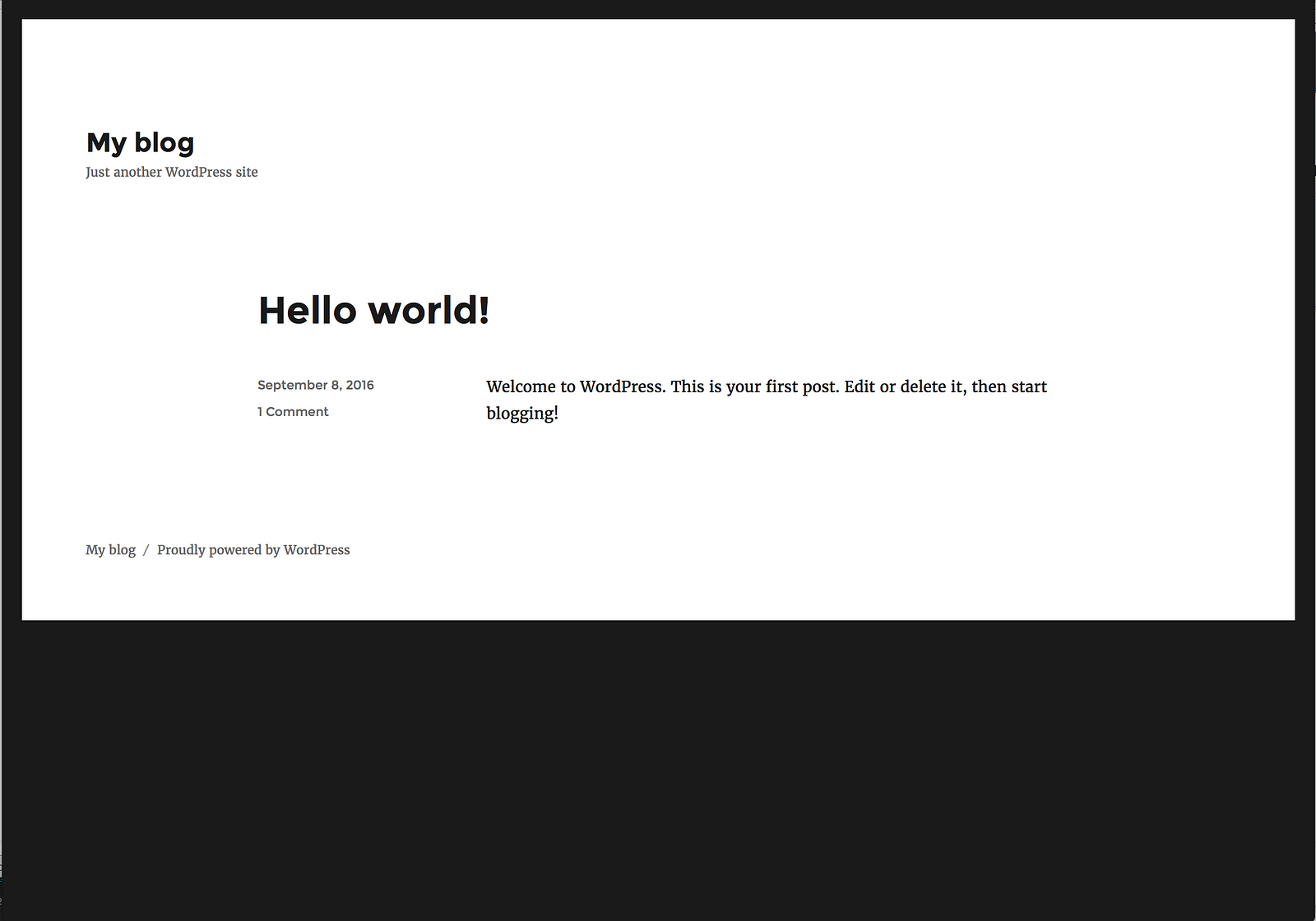
Hello World
The interesting thing about domains is that they begin amorphous. It’s loosely defined by the technology but only really take shape once a student has spent a considerable amount of time inside of it, and you have to learn to become comfortable with things not looking or feeling right at the beginning. Carl Rogers says this is necessary for creativity. One has to have “a tolerance for ambiguity where ambiguity exists.”
How do our technologies lend themselves to ambiguity? How flexible or rigid are they? Can you begin to see how technologies limit the ways in which we are allowed to use them? How flexible or rigid are we as instructors of courses? How much should we be?
Is it even possible to support students in an environment of ambiguity? Here are a couple strategies that I’ve taken in assisting in this environment. First, understand that these take time to mature. Build in ways for students to work on pieces of their domain throughout the semester. If you are going to assign a portfolio project, do so at the beginning of the semester rather than the end have them do small pieces of it over time. In fact, I would recommend focusing on the technology itself as little as possible when students get in it. If you let it, web technology can seem very overwhelming and a lot of that is due to the flexibility. I want students to know how to create basic content and how to customize the look and feel for when they feel ready to customize the space.
The beginnings of a student space
Second, I want them to be exposed to the work of other students. One of the best benefits of the open web is its ability to be networked.
Student Work Syndication
I manage a WordPress syndication hub which allows students to see each others work. Remember how I said students are overly anxious coming into the course? It helps to know you aren’t the only. It also helps to see how a student responded to a specific problem or simply get inspiration from viewing a peer’s space.
Language exists only when it is listened to as well as spoken. The hearer is an indispensable partner. The work of art is completely only as it works in the experience of others than the one who created it.
— John Dewey
One of my favorite things to see in my classroom is when a student asks someone else in class “How did you do that?” and that students gets the opportunity to teach them how they uploaded their photo or added a Twitter widget or the like.
My last recommendation, and this is in my mind the most important of the three, is really, truly evaluate your assessment strategy. The more you set requirements on your student’s domain and the more you restrict how it can be used, the more it will reflect you and the less it will reflect them. This freedom, this openness, can be described as the cornerstone of the creativity.
If there be no self-expression, no free play of individuality, the product will of necessity be but an instance of a species; it will lack the freshness and originality found only in things that are individual on their own account.
— John Dewey
Selection and Reflection
The second phase of the creative process involves both selection and reflection. And these two go hand-and-hand because allowing students to earn freedom through choice allows them to additionally have the opportunity to critically evaluate on an internal level the choice they made.
I’ve taken multiple strategies towards this idea. The first is fairly easy in that almost all of my design projects allow them to decide who they are designing for. Students are allowed to choose the company or organization and I encourage them to choose one they are highly familiar with like a student organization or I tell them to pick a company from the Fortune 500 list or something similar. I give them some restrictions such as the medium for which they are designing and that it includes various components but, ultimately, how they complete it is up to them. Nothing beats a good, old fashion open-ended problem. This also allows the students to have a design portfolio that doesn’t just show they technical skill but gives them space to show how they problem solve.
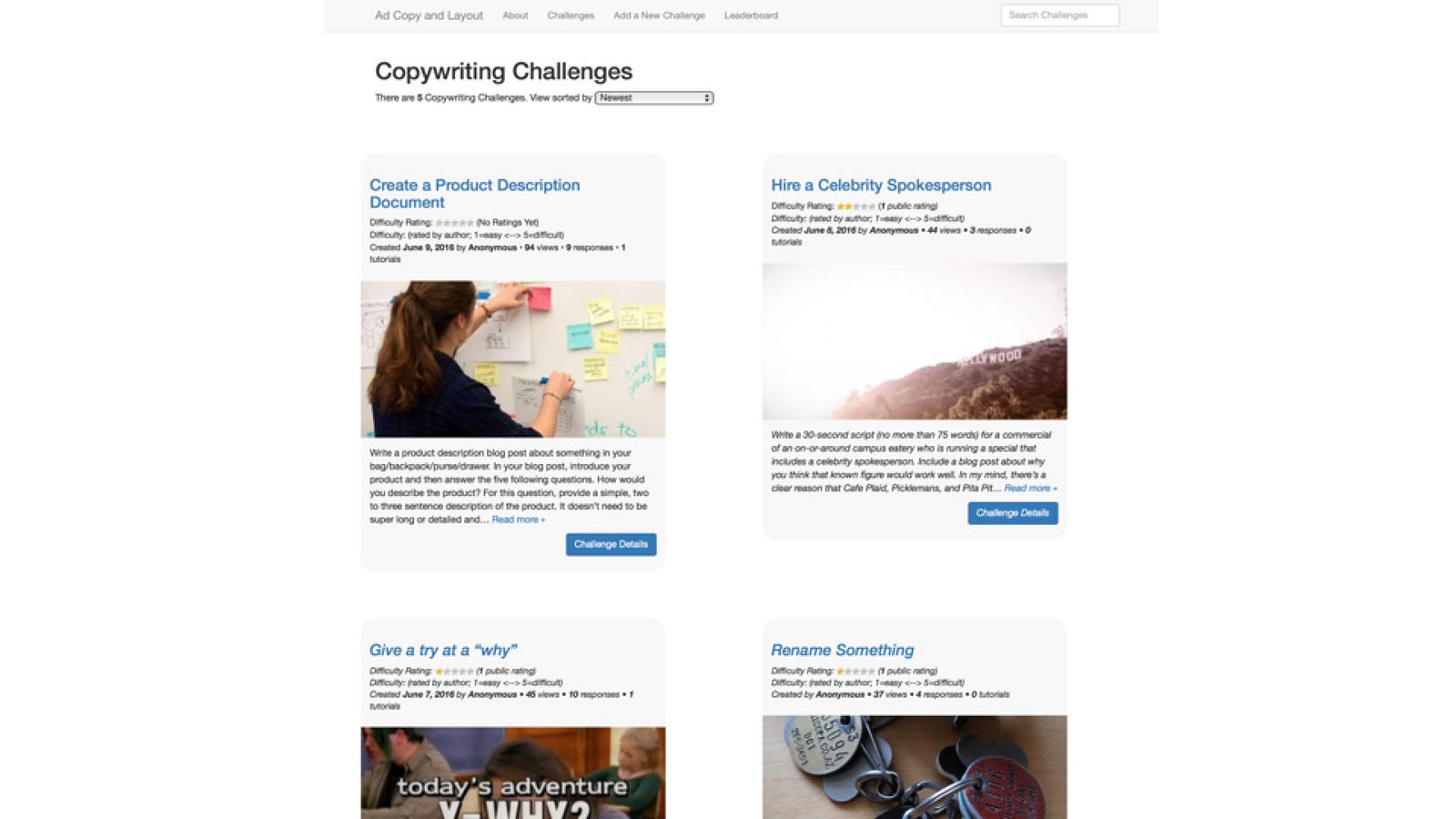
This semester I’ve taken that a step further and now let them even choose the assignments they want to complete through an assignment bank (developed by Alan Levine and available on Github).
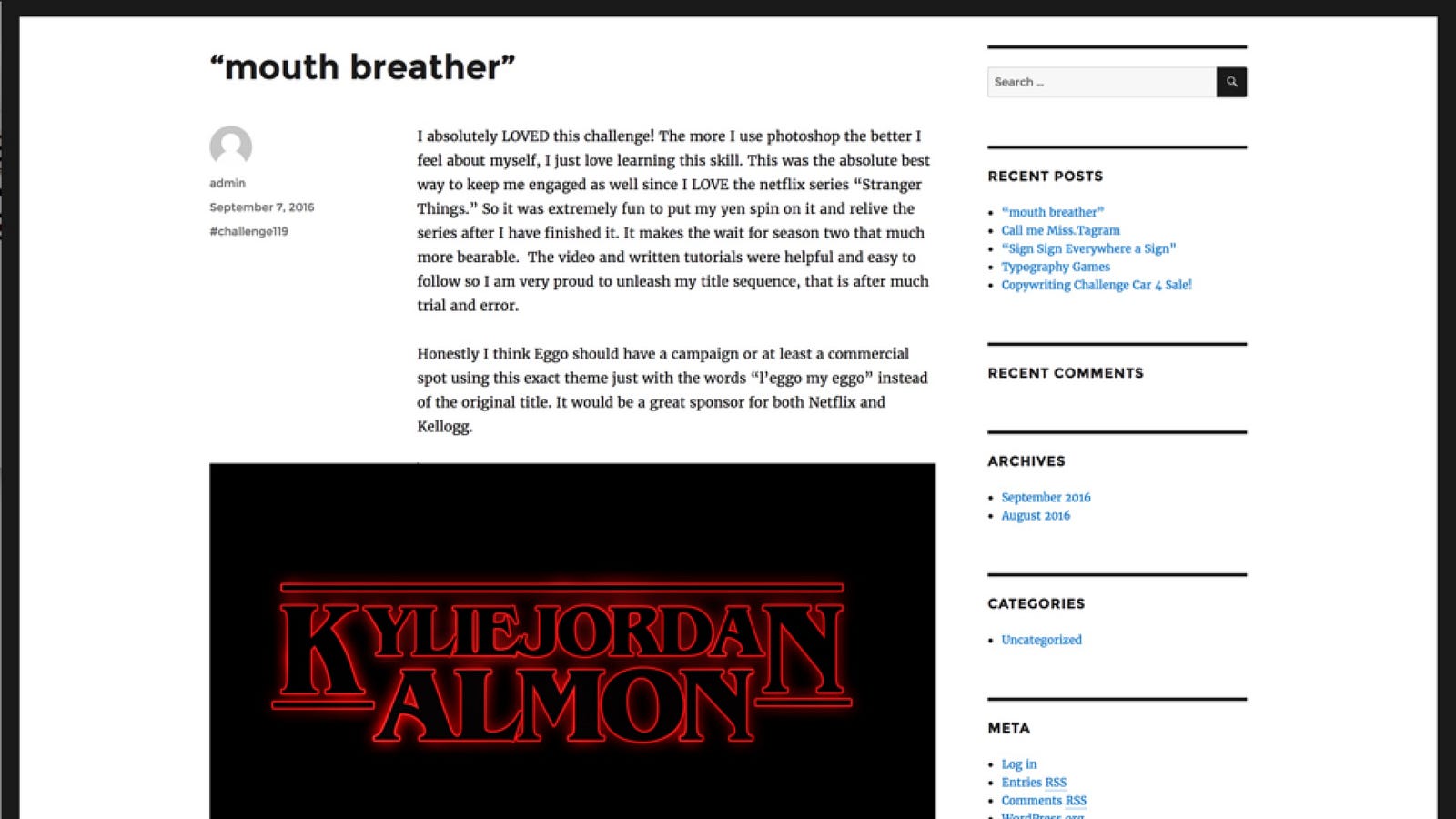
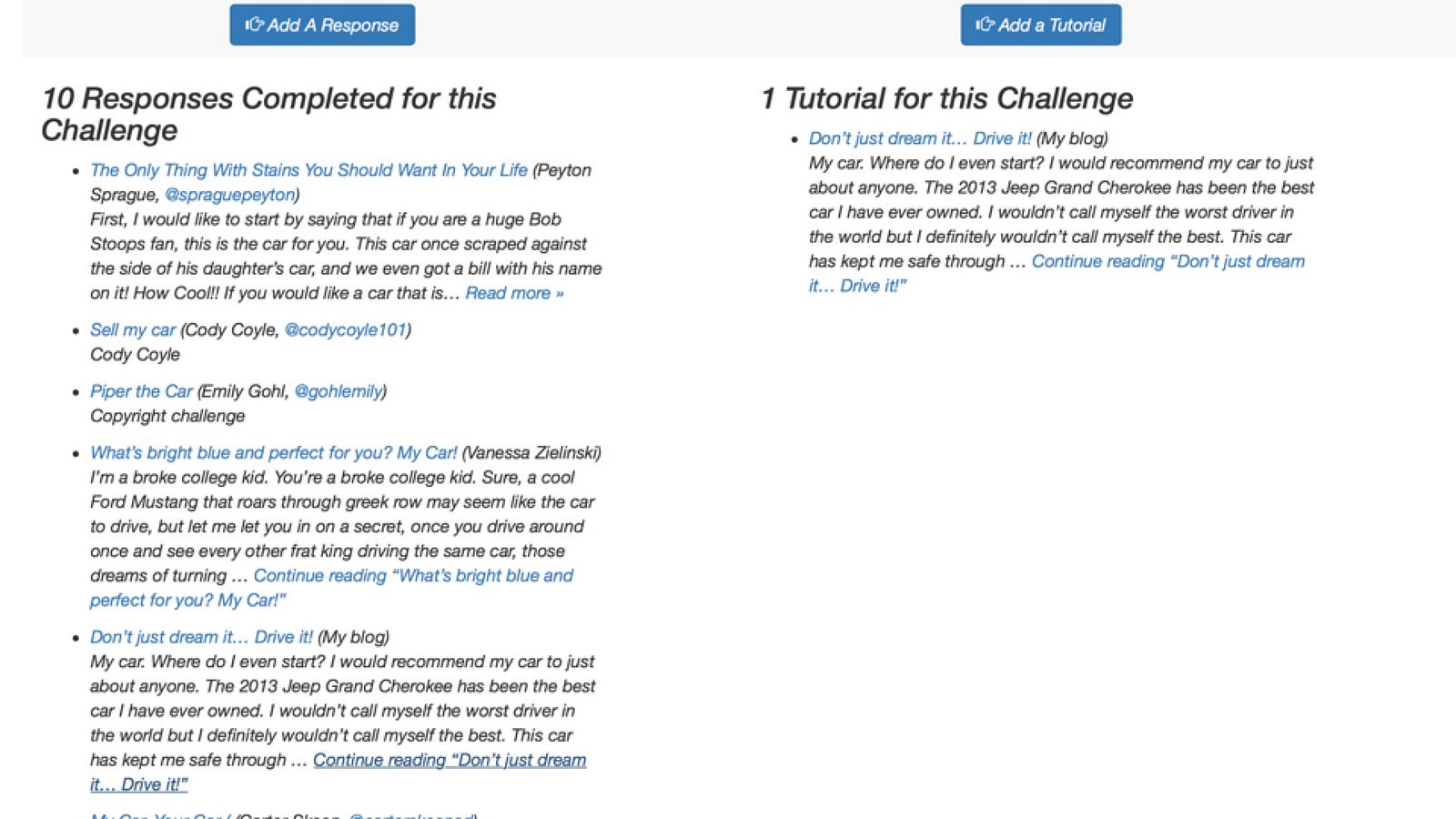
This is an assignment where students learn Adobe Photoshop through designing a title card similar to the aesthetic of the Netflix series, Stranger Things. Students write a reflection on the assignment on their own blog and then the work is syndicated back to the challenge bank so students can see how other students completed the challenge. Selection. Reflection. Awareness. Openness.
Working Process
The third stage is the working process. Because I’ve already created a level of freedom in how one can complete the project, they can approach it in a way that is matches their unique idea. And because of the networked approach of the course, it allows them multiple venues for feedback. Both myself and my peers comment on student work at various moments across a project.
Creation
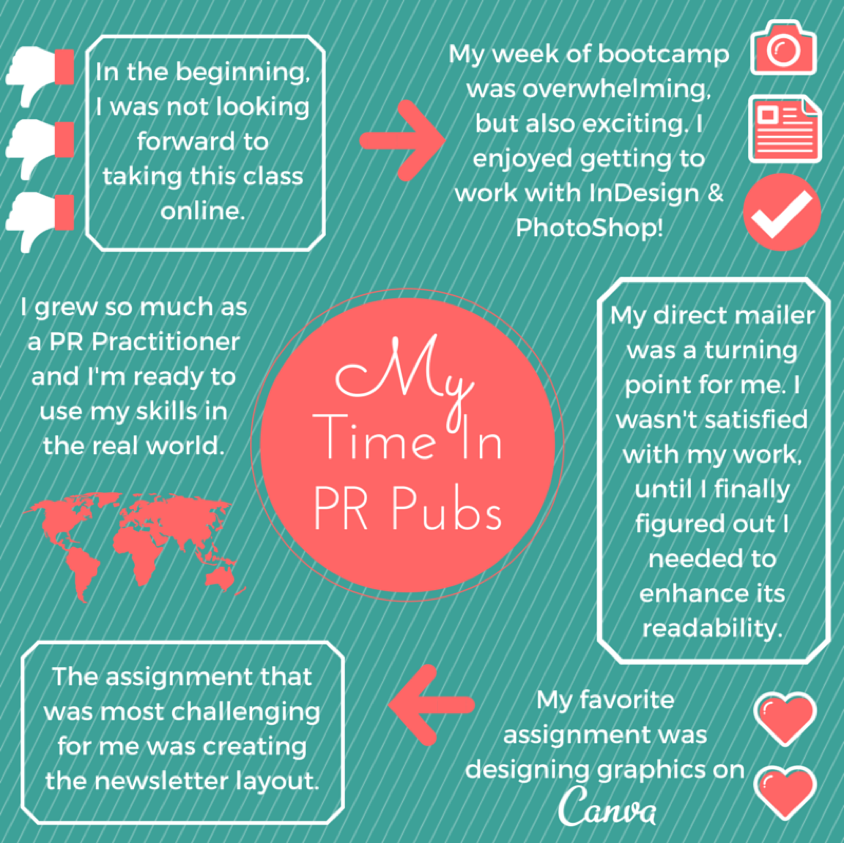
The final stage of the creative process is the creation itself. The creation itself is critical to self-actualization and to get from creative work (and, its worth stressing, creative work is not limited to actual art) you need to know how you got there. My favorite part of the semester is towards the end. Because students now have this collection of reflections on their learning throughout the semester, I have them spend some time reading their blogs chronologically. Through reading their reflections, I ask them to put together a narrative of their learning process with a final assignment being to design a Summary of Learning. These have taken on several different forms over the years.
OU Create
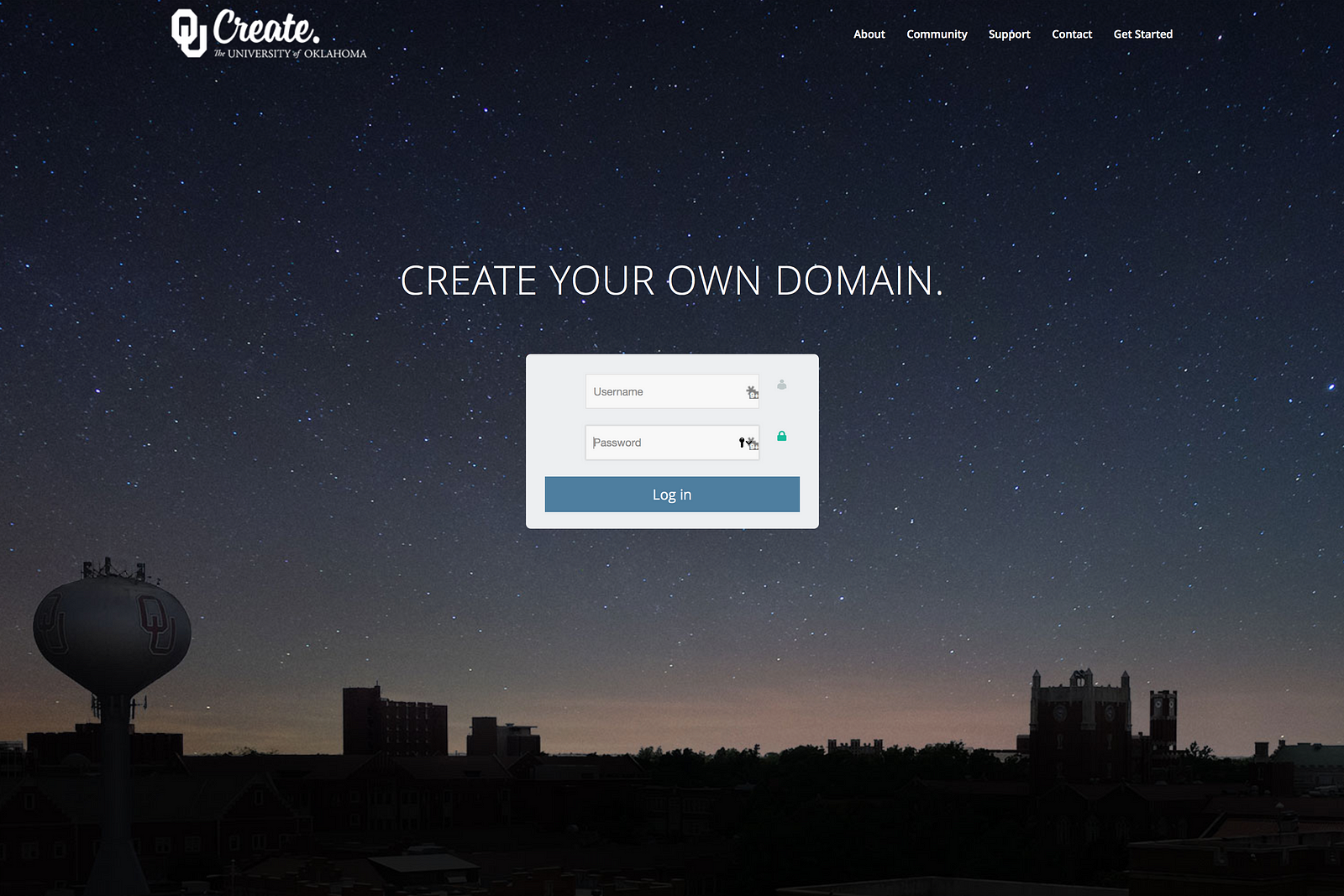
I been fortunate enough at the University of Oklahoma that having this type of space is now being supported through our Provost’s Office much like MiddCreate. Ours is affectionately similarly named: OU Create. And since 2014, we’ve had more than 3,200 students, faculty, and staff sign up for space on OU Create.
create.ou.edu
At the time, we were looking to do more of the type of work that I was doing in my course across the institution. Students in courses leveraging domains as a way of publicly narrating their learning while building a portfolio of work in a way in which they can better understand their learning journey.
I have to be honest — it’s a really good thesis. It’s a great plan. I’ve got the right rearchers to back up that this works. And I would love it if every student at the University of Oklahoma left with a portfolio/journal/whatever similar to this. I believe in the power of it.
And these are mostly just institutional types of projects. The last project I want to show you is a secondary space from a student. And I wanted to make sure you heard about this project directly from him.
I want to make a couple closing points here about what these spaces add for our communities. First, this kind of project doesn’t happen if we had simply gone with a single e-portfolio solution or a single tool in our learning management system. We had to give flexibility and with that we had to trust our community to do this kind of stuff with their space. No one asked Keegan to do any of this, but this is how it’s became his space and how it reflects him. Second, what Keegan says is bold. He’s talking first about how uncomfortable he was in this space, how it took him time to find comfort, and now how he is opening up about his family and using his domain as a tool for healing. That’s vulnerability. And that’s realness.
I feel a sense of satisfaction when I can dare to communicate the realness in me to another. Then I feel genuine and spontaneous and alive.
— Carl Rogers
That’s the philosophy I want to have. I unabashedly want our students to ooze realness. In whatever form that ends up in. That’s my teaching philosophy: oozing realness. And to bring us full circle: it’s matters. You’re teaching philosophy matters a lot. It’s matters in the technology we choose.
Image credits: flickr photo by cogdogblog shared under a Creative Commons (BY) license
https://middcreate.net/wp-content/uploads/2016/09/22123423045_8e92f0b88a_k.jpg13652048Adamhttps://middcreate.net/wp-content/uploads/2016/09/middcreate-logo-sized-for-website.pngAdam2016-09-27 00:48:452018-02-26 18:28:03Openness without penalty


 ). I’m just grateful to find someone who is equally interested in preserving the bits and bytes of the web. Neither of us are making promises that any of this will work but I can vouche that I’m personally eager to explore.


 Think you’ve found the right digital tool for your site? Go though the questions